Four eyes
By default, whoever reconciles cannot approve. If the documentation changes after approval, the account must be approved again.
Nolldiff is a web app for account reconciliation and year-end close documentation, for accounting firms and finance teams in Sweden.
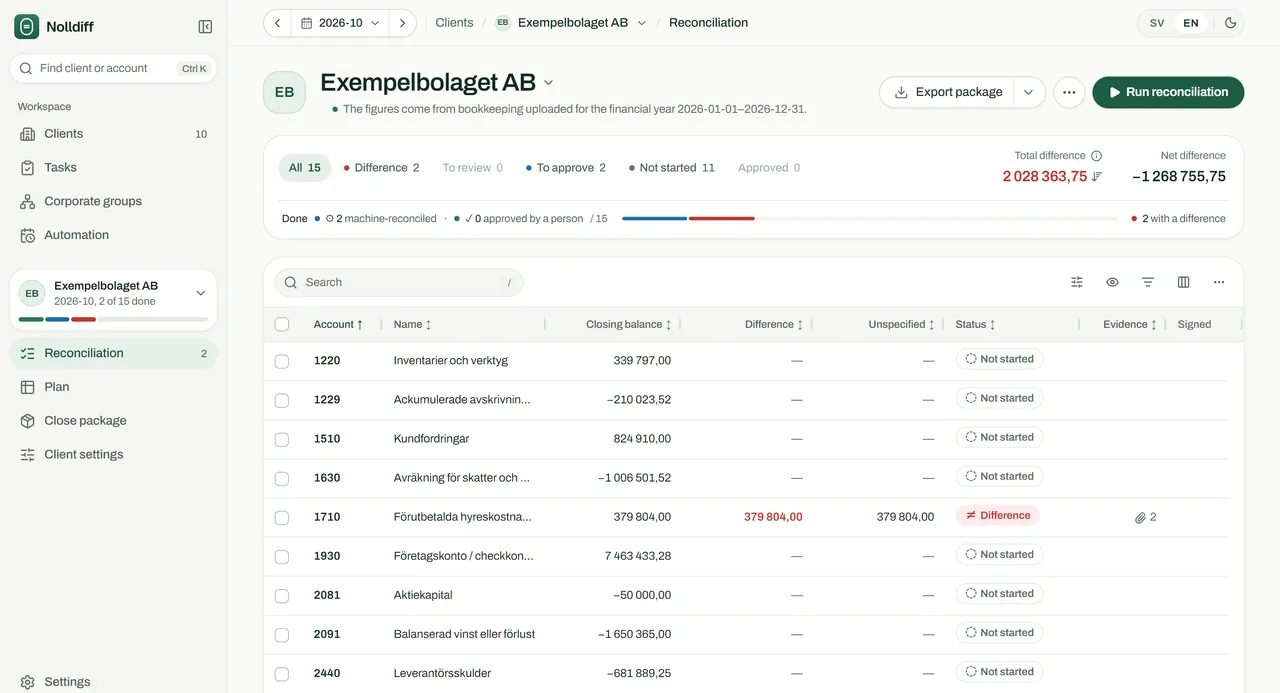
Screenshot from Nolldiff with sample data.
Account reconciliation means comparing the balance of a balance sheet account with an independent source, such as the bank or the customer ledger. The difference should be zero or explained. Nolldiff does this balance sheet reconciliation for every account and keeps the documentation on the account.
| Account | Reconciled against | Fortnox | SIE 4 |
|---|---|---|---|
| 19xx Bank | The bank's transactions, line by line, and the bank balance | Automatic | Manual with uploaded documentation |
| 1630 Tax account | Tax account entries, categorised month by month | Automatic | Manual with uploaded documentation |
| 2650 VAT | Declared VAT that is not yet paid | Automatic | Manual with uploaded documentation |
| 27xx Payroll taxes | The employer declaration (AGI) per period, when it is in the accounting system | Automatic | Manual with uploaded documentation |
| 1510 Receivables | The customer ledger, with ageing | Automatic | Manual with uploaded documentation |
| 2440 Payables | The supplier ledger, with ageing | Automatic | Manual with uploaded documentation |
| 10xx–12xx Fixed assets | The asset register, with a depreciation report | Automatic | Manual with uploaded documentation |
| 17xx Accruals | The accrual register, month by month | Automatic | Automatic |
| Other balance sheet accounts | The previous period and uploaded documentation | Automatic | Automatic |
With SIE 4 you upload the documentation for bank, tax account, VAT, payroll taxes, ledgers and fixed assets, and reconcile them in the same view.
Open an account to see the balance, the specification and the documentation in one place.
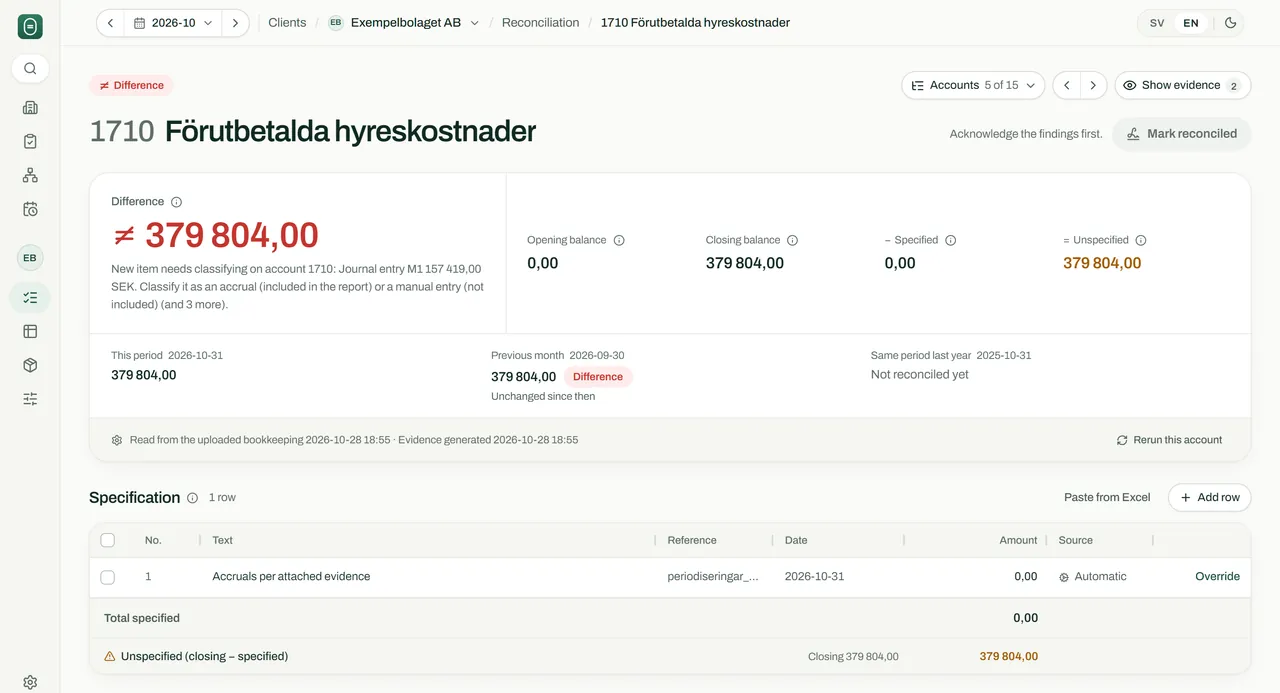
One flow for every company, every month or at year-end.
By default, whoever reconciles cannot approve. If the documentation changes after approval, the account must be approved again.
One file with a cover sheet, balance sheet, income statement and a folder per account with its specification and documentation. It replaces the close binder.
Reconciliation runs daily or once a month at the time you choose, with an email report.
The group's ownership tree and reconciliation of intercompany balances per counterparty.
Preparer, approver, administrator and auditor, or custom roles where each page is hidden, read-only or editable.
Task templates per client and period, with an owner and a due date.
The database and files are stored in Stockholm, with permissions by role and client and a log of who did what.
Anything else? Write to info@nolldiff.se
Account reconciliation means comparing the balance of a balance sheet account in the books with an independent source, such as the bank's transactions, the tax account or the customer ledger. The difference should be zero or explained and documented. Nolldiff makes that comparison for every balance sheet account and keeps the documentation on the account.
At least before every year-end close, and in most cases every month. In Nolldiff, reconciliation can be scheduled daily or once a month, and the result arrives as an email report.
Fortnox connects directly. From other systems, upload an SIE 4 file. With Fortnox, more is fetched automatically, including the bank's transactions, the customer and supplier ledgers, the tax account and voucher attachments.
SIE is the Swedish standard for moving bookkeeping between programs. An SIE 4 file contains the vouchers and opening balances. Nolldiff requires the file to belong to the client's own organisation number.
No. Nolldiff produces the reconciliations and the year-end documentation. You prepare the annual report and tax return in your year-end software as before.
Yes. Specifications can be pasted from Excel, and the year-end package contains the documentation in Excel. What goes away is your own reconciliation templates.
By default, the same person cannot both reconcile and approve an account. An approval applies to the data it was made on. If the documentation changes, the account needs approval again, and the earlier approval stays in the history.
A ZIP file with a cover sheet in PDF, the balance sheet and income statement in PDF and Excel, and a folder per account with its specification and all documentation.
Yes. The Auditor role sees everything, changes nothing and can download the year-end package. A client can also be shared with another firm, with chosen permissions.
The database and files are stored in Google Cloud's Stockholm region. The database is backed up daily and backups are kept for 35 days.
Create your organisation, add a client with its organisation number, then connect Fortnox or upload an SIE 4 file.